 Photo Statistic
Photo Statistic
Photo Statistic
Photo Statistic analyzes the photos and videos already on your iPhone, iPad, or Mac and shows you when and where you took them. Drill down from years to months, days, and hours. See your library grow on a chart. Explore it on a map. All privately, on your device. New in 2.0: compare two devices and find the photos a stuck iCloud sync left behind.
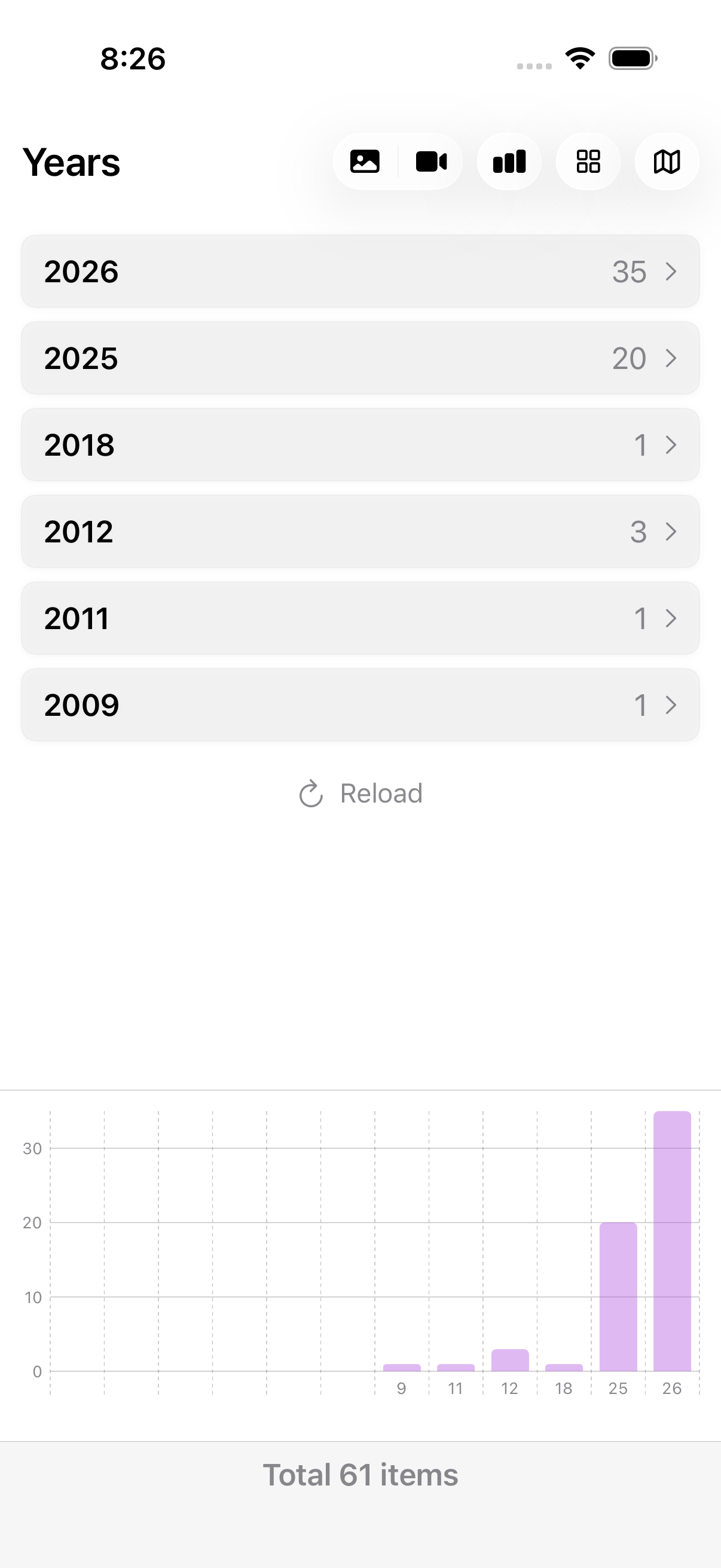
No accounts, no uploads, no setup. Open the app, tap one button, and explore.
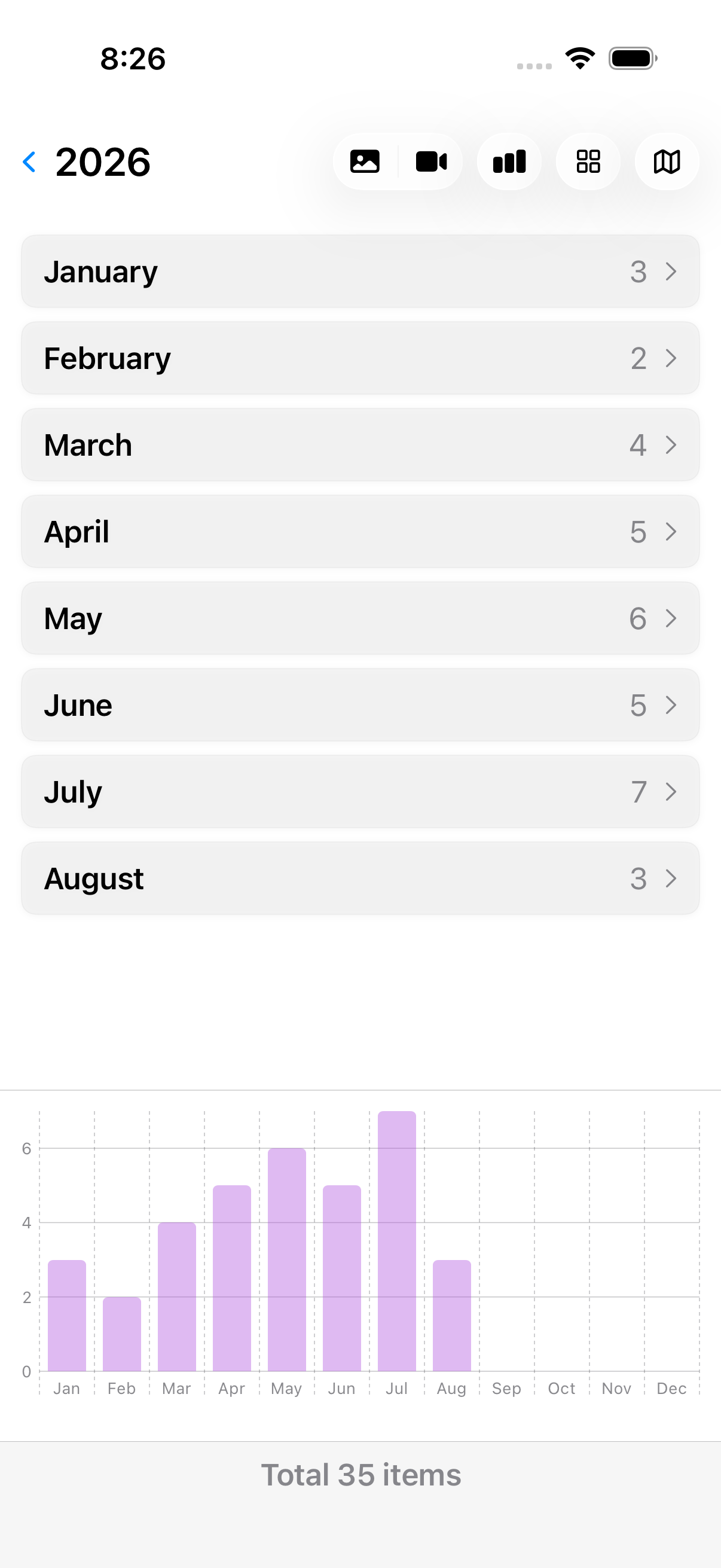
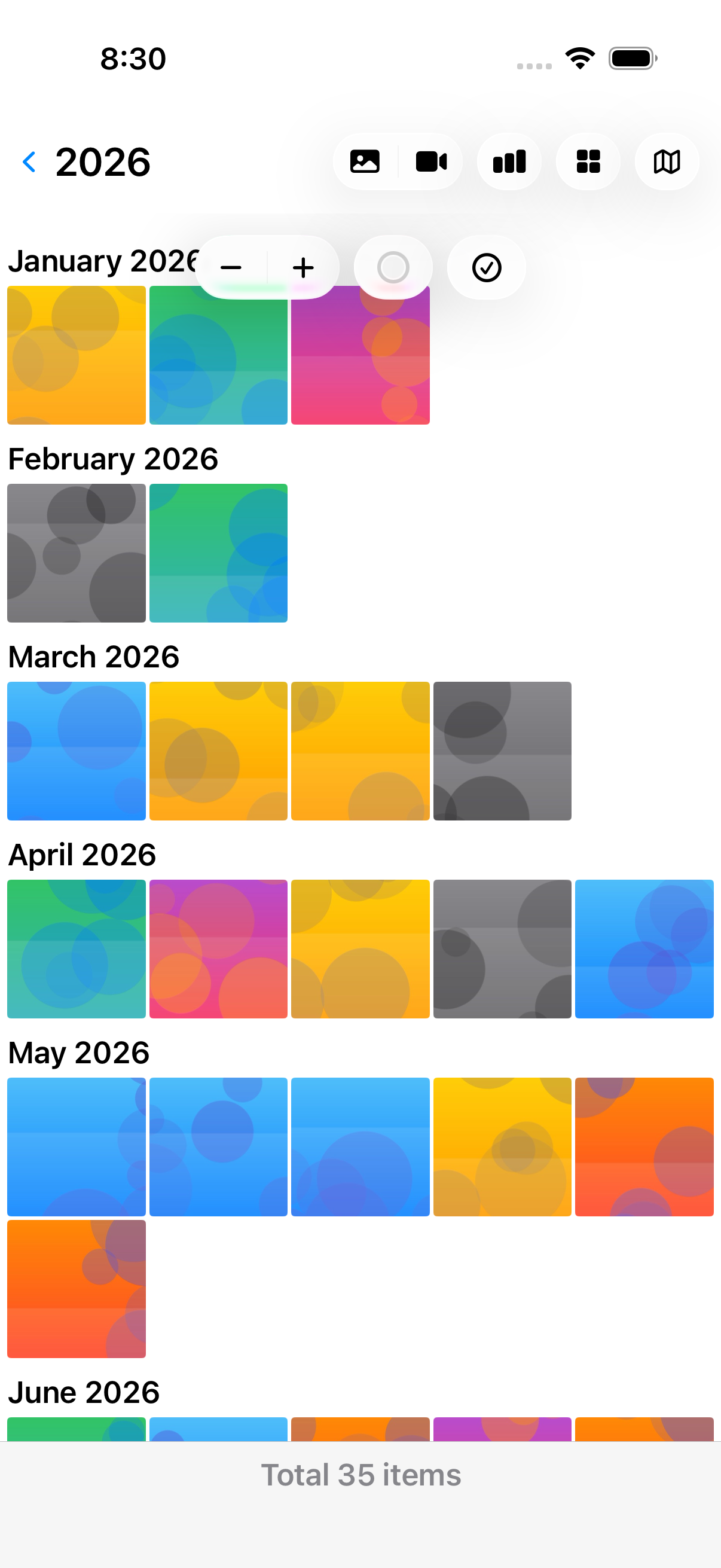
Your library becomes a timeline you can open like nested drawers: years, months, days, hours, and finally the pictures themselves.
Stacked bars show photos in purple and videos in yellow. Tap a bar to see the numbers and jump right into that period.
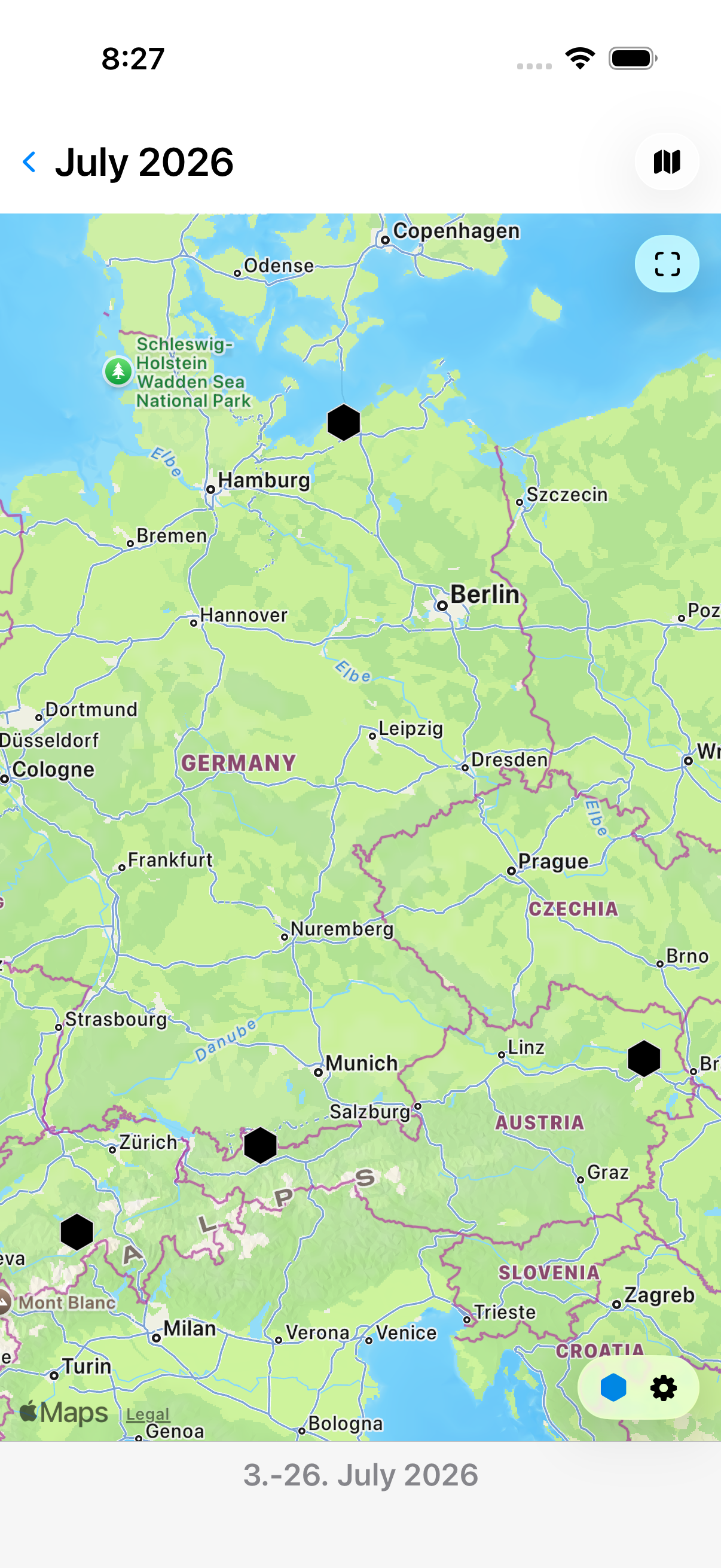
Geotagged photos cluster into honeycomb cells with counts. Adjust the cell size from 1 to 100 km and tap any cell to see its pictures.
Select the shots you love, pinch to resize the grid, and collect them into a real album in the Photos app with one tap.
Ask in plain language and land on the right screen, or get a spoken answer without opening the app. Export CSV, JSON, or PDF through Shortcuts.
Compare two devices over the local network, see exactly which photos and videos are missing on which one, and let iCloud carry them across.
Analysis happens entirely on your device. Nothing is uploaded, nothing in your library is ever changed or deleted.
Original screenshots from the app.
And keeps saying it for weeks. Photo Statistic finds out exactly which photos and videos are stuck and nudges iCloud into carrying them across. Two devices, one wizard, and nothing is changed without your confirmation.

Two ways to reach your numbers without opening the app: describe what you want and land on it, or ask a question and hear the answer.
Photo Statistic registers with the system-wide photo search, so a request in plain language opens the app right at the matching screen. No phrase to memorize.
Named phrases answer while the app stays closed. Siri also responds to the shorter names Photo Report and Photo Stats.
Left out the time period? Siri asks for it.
Four actions in the Shortcuts app turn your library into a report, a spreadsheet, or a number you can build on. Everything runs without opening the app.
Apple currently lists no public customer reviews for Photo Statistic. This section will show verified customer feedback as soon as reviews are available.
